Running Data Assets
Running a data asset allows you to validate the asset configuration, retrieve the latest metadata, and execute the underlying processing logic associated with the asset. You can run a Data Asset at various stages of its lifecycle, including before publication or certification.
Depending on the asset configuration, a run may collect metadata, validate schema information, refresh asset statistics, generate profiling information, or execute other platform-specific processing activities. The run status helps users monitor the successful execution of the asset and identify any issues that may require attention.
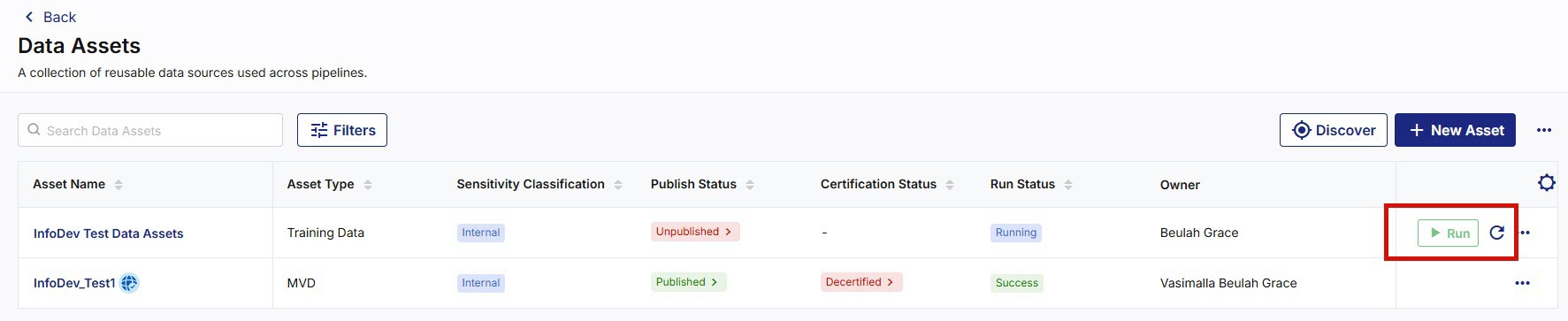
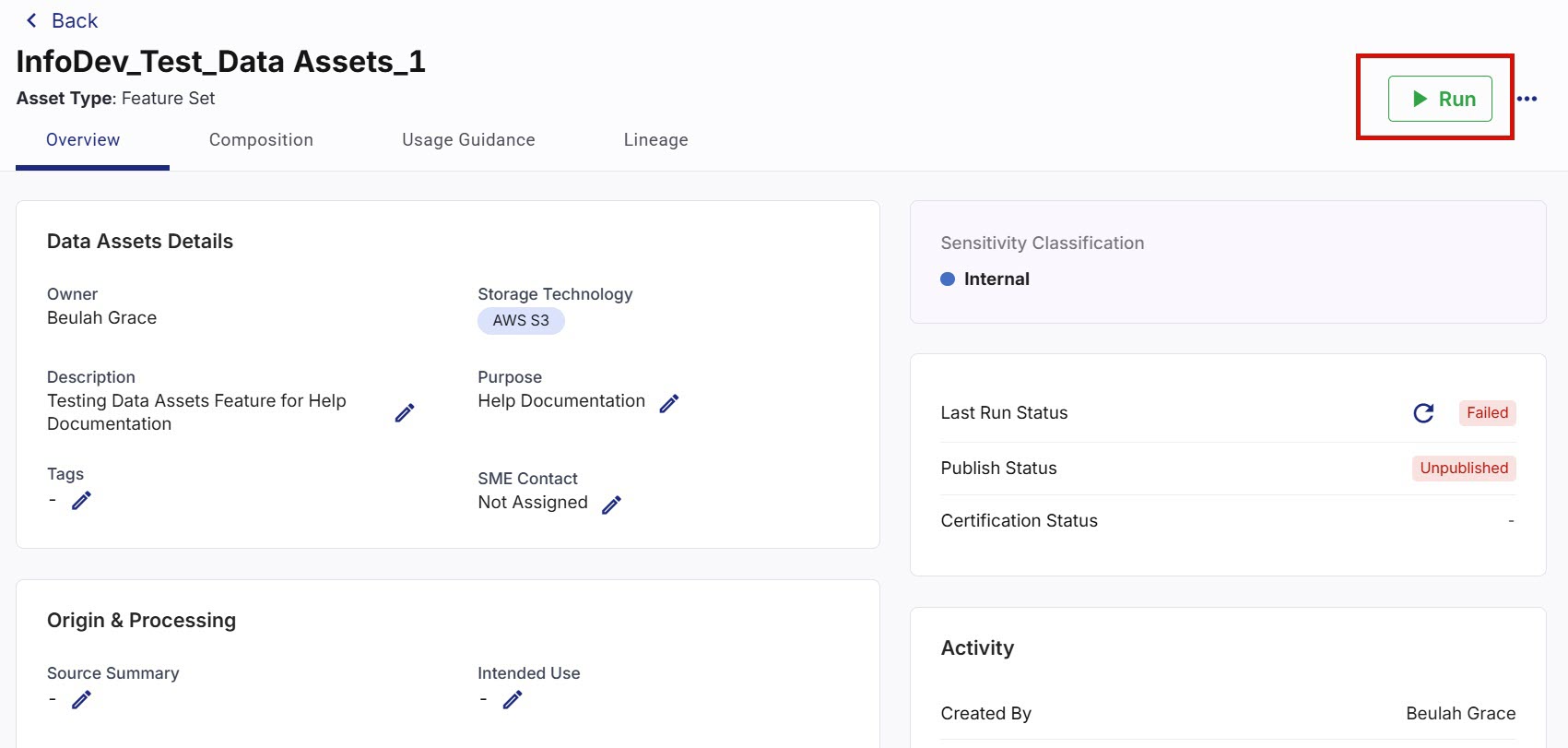
Each Data Asset displays its latest run status on the Data Assets screen and within the asset details screen.
The following statuses are displayed:
|
Status |
Description |
|---|---|
|
Running |
The asset execution is currently in progress. |
|
Successful |
The asset execution completed successfully. |
|
Failed |
The asset execution encountered an error. |
The run status provides visibility into the operational health of the asset and can be used to determine whether the asset is ready for use or further review.
Running a Data Asset
-
Navigate to Data Assets and search for the required data asset.
-
Do one of the following:
-
Click Run for the asset that you want to execute.
-
Click Run on the data asset details screen.
-
-
Monitor the Run Status column to track execution progress.

Note:
Use the Refresh option if required to view the latest execution status.
After successful execution, the asset run status is updated and related metadata is refreshed.
Viewing Asset Execution Information
You can review execution-related information from the asset details screen, including:
-
Latest run status
-
Configuration information
-
Profiling information
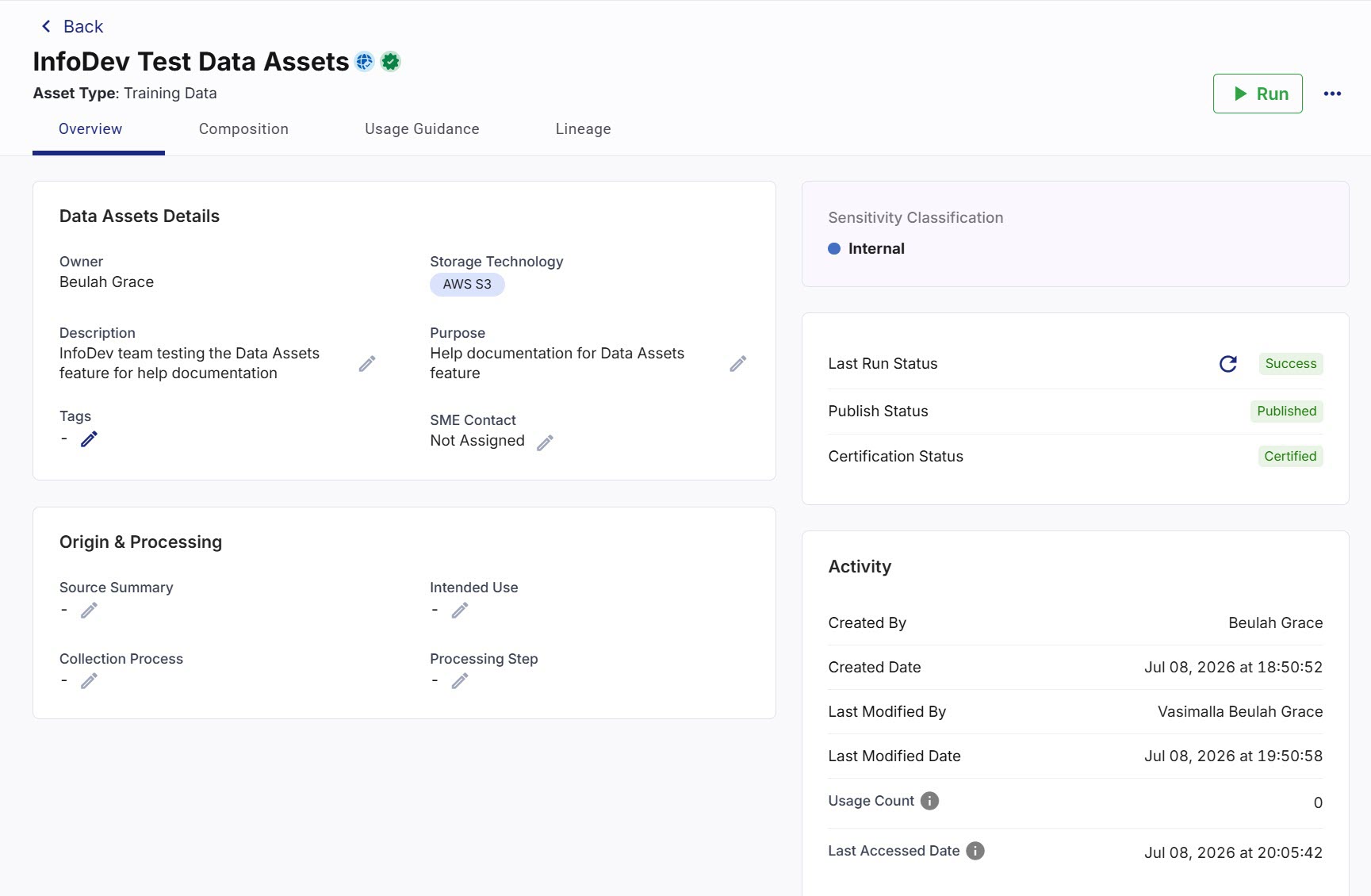
This information helps assess the readiness and quality of the asset before publication or utilization.
|
What's next? Publishing Data Assets |
 Recommended Topics